
Activate
Open iWatch and press the large Activate iWatch button, or use supported voice activation such as “iWatch On.” The activation path is deliberately short: as few screens and confirmations as reasonably possible.
Home / How It Works
Activate. Record. Secure. Retrieve. Version one of iWatch is built to do one workflow extremely well — because in a stressful moment, one reliable workflow is worth more than ten features you can't find.
Open iWatch and press the large Activate iWatch button, or use supported voice activation such as “iWatch On.” The activation path is deliberately short: as few screens and confirmations as reasonably possible.
Choose Video Mode or Audio Mode. The session records with time and date association, attaches to your account, and is protected against accidental deletion.
When you end the session, iWatch finishes the recording, saves it securely, and uploads it to your protected storage as connectivity allows — then verifies the upload before confirming.
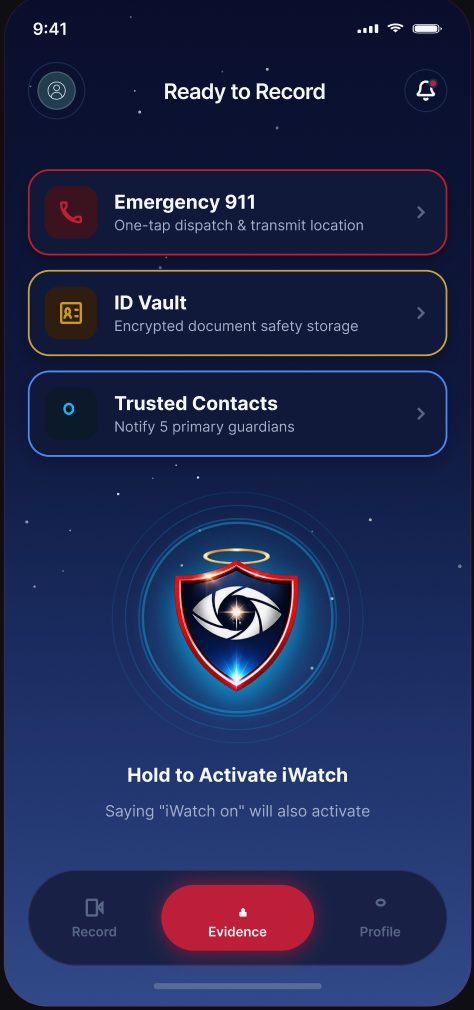
During a session
While a session is running, the screen shows only what matters. No menus to hunt through, no ambiguity about whether it's actually recording.
After you end a session
This order matters. It is the difference between an app that says “done” and an app that means it.
Honest status at every stage
Every session in iWatch carries one of four clear states, on the session screen and in your Evidence Vault.
A safety session is currently capturing video or audio.
The recording is transferring to your protected storage. Progress is visible.
The server has confirmed the upload completed successfully.
The recording is saved and waiting for a connection to finish uploading.
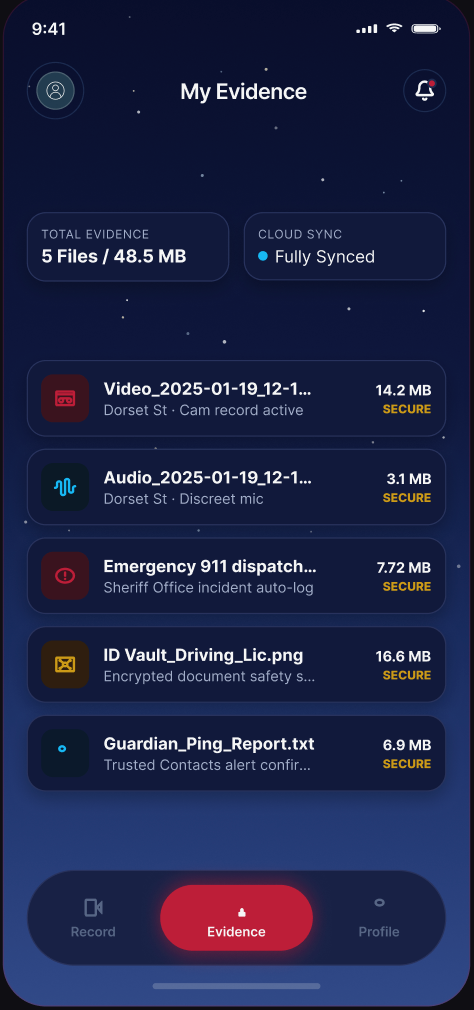
Retrieve
Every completed safety session lands in your private Evidence Vault. For each one you can see the date, the time, whether it was video or audio, how long it ran, its upload status, the file name, and any notes you chose to add.
Future versions may attach location information to a session — and only with your explicit permission.
Coming soon
Join the launch list and we'll email you the moment the iWatch app is available on the App Store and Google Play.
iWatch is a personal-safety and evidence-documentation technology platform. iWatch does not guarantee the prevention of crime, injury, assault or other emergencies and is not a replacement for emergency services. Recording and privacy laws differ by jurisdiction, and users are responsible for complying with the laws that apply to them. In an emergency, contact 911 or the appropriate local emergency service whenever it is safe and possible to do so.